
Getting Started

Adafruit Playground is a wonderful and safe place to share your interests with Adafruit's vibrant community of makers and doers. Have a cool project you are working on? Have a bit of code that you think others will find useful? Want to show off your electronics workbench? You have come to the right place.
The goal of Adafruit Playground is to make it as simple as possible to share your work. On the Adafruit Playground users can create Notes. A note is a single-page space where you can document your topic using Adafruit's easy-to-use editor. Notes are like Guides on the Adafruit Learning System but guides are high-fidelity content curated and maintained by Adafuit. Notes are whatever you want them to be. Have fun and be kind.
Click here to learn more about Adafruit Playground and how to get started.
-
PHNTM One: a local AI desk companion built around Raspberry Pi 5
I’m Jacob, the builder behind DeCampLabs. PHNTM One is my attempt to give everyday AI tasks a dedicated place on the desk, using a Raspberry Pi rather than depending on a cloud AI account.
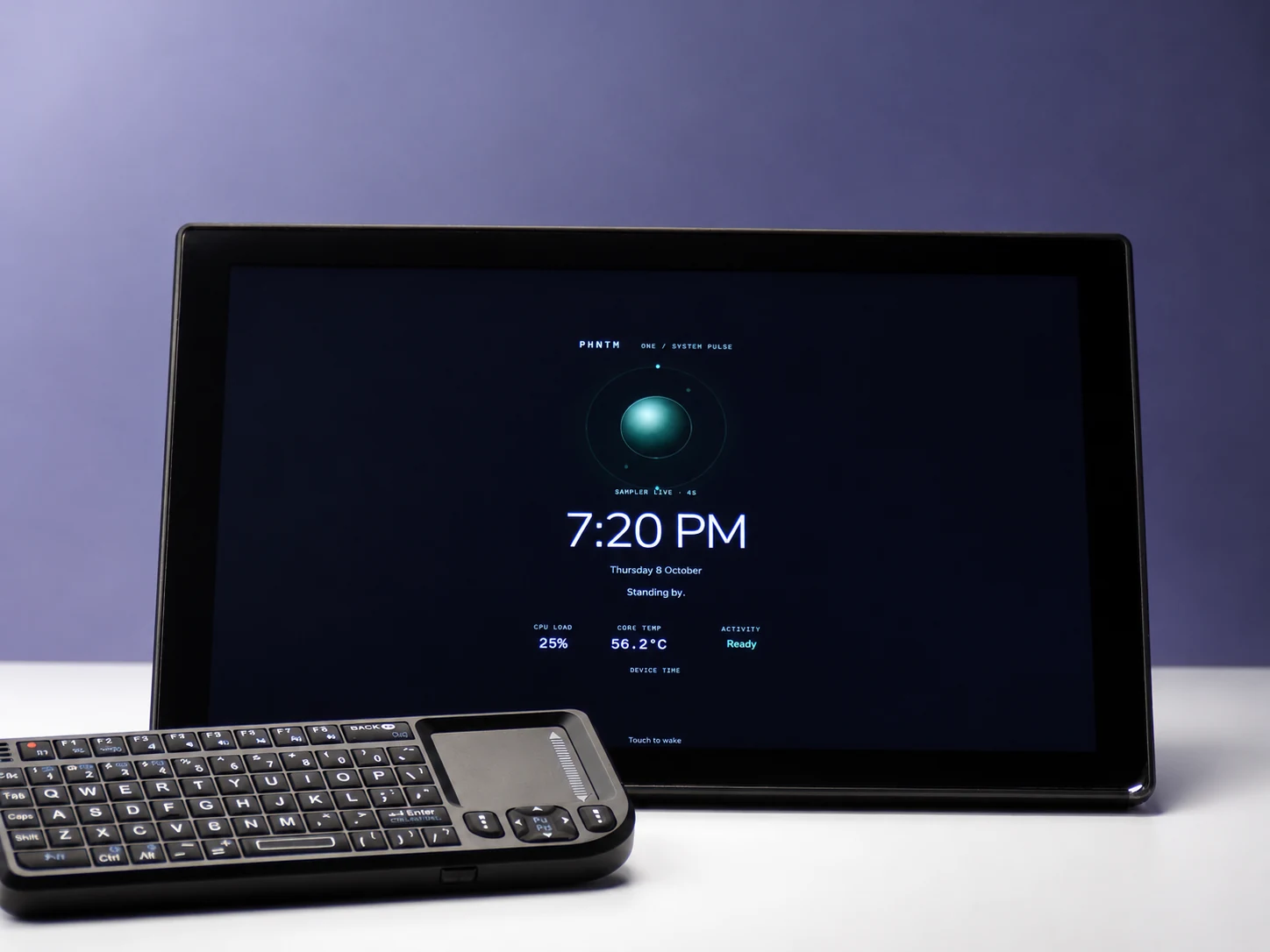
Owner-supplied image exported from ChatGPT, October 8, 2026. Screen details may differ from the current interface.
What I built
PHNTM One combines a Raspberry Pi 5 with 8 GB of memory, a 10.1-inch touchscreen, 256 GB microSD storage, a microphone, and a speaker. A compact wireless keyboard with a touchpad gives another way to interact with it.
The idea is simple: capture a thought, ask about a document, or pick up a project without opening another cloud chat on the computer you are already working on.
What it does
- Local conversation: ask questions through text or voice. In Private mode, the model runs on the device.
- Notes and ideas: type or dictate a thought, then ask for help organizing or developing it. The original stays separate from the AI draft, so you can review the suggestions.
- Document questions: bring in PDF, text, and Markdown files and ask about them. Answers can include file and page references when supporting passages are found. References still need checking; AI can make mistakes.
- Memory: explicitly save a useful detail, review it later, correct it, or ask the device to forget it.
Local chat, memory, Notes, document questions, and voice can work without internet. Optional connected services have separate data paths; enabling cloud-assisted answers can send the question and selected context to that provider.
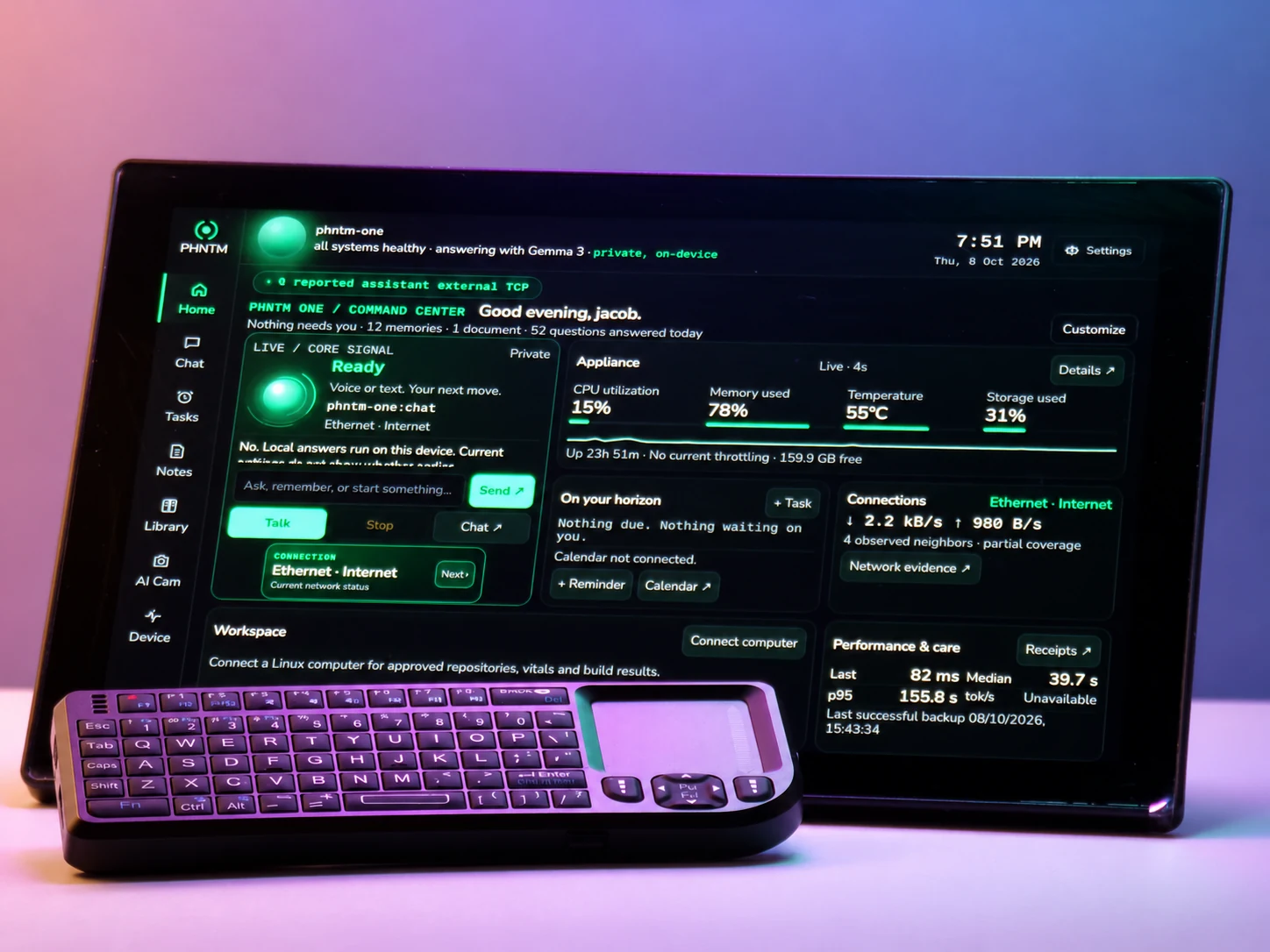
Owner-supplied image exported from ChatGPT. This picture is not a performance measurement.
The software and the trade-offs
The device uses a Python application, Ollama for local model inference, Gemma 3 4B for the primary chat model, and local speech tools. The touchscreen is the main interface.
Running a small model on a Raspberry Pi means accepting limits. Answers can take tens of seconds, longer Notes can take several minutes, and complex reasoning is stronger on larger cloud models. PHNTM One can also give a wrong answer. My focus is making the device useful while keeping those limits visible.
See it in use
- Watch the recorded demonstrations
- Explore the device photographs
- Read the owner manual and limitations
- Visit the project website
The demonstrations use real device footage, with edits and presentation details explained on the website. They are not response-speed benchmarks.
I’d love feedback from other makers: what everyday task would make a local AI desk companion worth keeping beside your keyboard?