Getting Started

Adafruit Playground is a wonderful and safe place to share your interests with Adafruit's vibrant community of makers and doers. Have a cool project you are working on? Have a bit of code that you think others will find useful? Want to show off your electronics workbench? You have come to the right place.
The goal of Adafruit Playground is to make it as simple as possible to share your work. On the Adafruit Playground users can create Notes. A note is a single-page space where you can document your topic using Adafruit's easy-to-use editor. Notes are like Guides on the Adafruit Learning System but guides are high-fidelity content curated and maintained by Adafuit. Notes are whatever you want them to be. Have fun and be kind.
Click here to learn more about Adafruit Playground and how to get started.
-
GigaNES
GigaNES: High-Performance NES 🍄 Emulator for Arduino Giga
Copyright (c) 2026 Kaled Souky. All rights reserved.
This program is free software: you can redistribute it and/or modify it under the terms of the GNU General Public License as published by the Free Software Foundation, either version 3 of the License, or (at your option) any later version.
This program is distributed in the hope that it will be useful, but WITHOUT ANY WARRANTY; without even the implied warranty of MERCHANTABILITY or FITNESS FOR A PARTICULAR PURPOSE. See the GNU General Public License for more details.
GigaNES (developed by Kaled Souky in 2026) is a specialized port of the Nofrendo NES emulator core, custom-engineered for the Arduino Giga R1 WiFi (STM32H747XI) and the Arduino Giga Display Shield. This project leverages the high-speed Cortex-M7 core and low-level STM32 register access to deliver a full-speed, low-latency gaming experience on modern Arduino hardware.
In the field of emulation, the STM32H747XI delivers disruptive performance. Although it is a dual-core SoC, its 480 MHz Cortex-M7 core is the true standout: thanks to its superscalar architecture and zero-latency Tightly Coupled Memory (TCM), it processes video layers and transparencies with a fluidity that popular alternatives simply cannot match. While the ESP32 (Xtensa at 240 MHz) or the RP2040/RP2350 (Cortex-M0+/M33 at 150 MHz) often encounter data access bottlenecks, this chip ensures consistent 60Hz (NTSC) emulation, high-fidelity audio via its 12-bit DAC, and imperceptible input lag. This undoubtedly positions this project as the most advanced and powerful NES emulator ever developed for the Arduino ecosystem.
Unlike typical portable emulation projects based on Single-Board Computers (SBCs) like the Raspberry Pi 5 or Orange Pi, GigaNES operates entirely on bare-metal hardware. While high-performance MPUs rely on a complex Linux operating system layer—which introduces multi-threaded scheduling overhead, driver abstraction, and unpredictable input lag (ranging from 15 to 50 ms)—this project achieves a near-zero latency (< 1 ms) gaming experience. By avoiding the heavy overhead of an OS kernel, the Cortex-M7 core samples controller inputs through direct low-level register access in a deterministic manner. Furthermore, this MCU-centric design eliminates data corruption risks during sudden power-offs, boots instantly in under a second, and operates with extreme thermal efficiency, delivering a silent, fanless, and robust console experience that modern MPU-based alternatives cannot replicate.
1. 👩🏫 Technical Specifications: Architecture (v1.0)
1.1 Video System (High-Performance Blitter)
- M7 Brute Force: Due to hardware DMA2D limitations for simultaneous rotation and scaling, the Cortex-M7 core is utilized to perform a high-speed software transformation, bypassing standard HAL overhead.
-
Rotation & Scaling Architecture: Adapts the native NES output (256×240) to the MIPI DSI panel (native Portrait 480×800) to achieve a true Landscape orientation:
- Short Axis: The scaled NES height (240×2 = 480) perfectly matches the display's native width.
- Long Axis: The scaled NES width (256×2 = 512) is centered on the 800px long axis.
-
Bus Optimization (64-bit Writes): To maximize throughput on the memory bus, the system utilizes
uint64_tpointers to transfer 4 pixels (16-bit each) per single bus operation. - Loop Unrolling (8x): The critical blitter loop is unrolled 8 times to minimize branch overhead, achieving consistent Blit times of ~6.0ms (consuming only 36% of the total frame time budget).
1.2 Audio System (High-Fidelity Design)
- Sampling Rate (44100 Hz): Set to the CD-quality standard to ensure maximum sound accuracy. This frequency captures the full harmonic spectrum of the NES APU and specialized expansion chips (like the VRC6), providing a rich and authentic auditory experience.
- DAC Output: Utilizes the Advanced DAC (DAC0 / Pin A12) integrated into the STM32H7. The system performs precise dynamic mapping from 16-bit signed emulation samples to the 12-bit unsigned hardware output of the peripheral.
- Stability & Buffer: Implements a circular buffer with an x8 DMA queue depth. This specific "sweet spot" balance ensures crisp, glitch-free audio without "popping" or latency issues, even during intensive CPU cycles.
1.3 Memory Management (Hybrid Hierarchy)
-
DTCMRAM (128 KB): Zero-latency memory directly coupled to the core. Hosts the
emu_buf(256x240) andhw_palette, eliminating CPU wait states during the scaling process. - Internal SRAM: Stores executable code and critical emulator state variables.
- External SDRAM (8 MB): Managed by the FMC (Flexible Memory Controller) for the screen's Double Framebuffer and PRG/CHR ROM bank storage.
1.4 Input Management (Low-Latency NES Controllers)
-
Direct Register Access: Bypasses Arduino's
digitalWrite/digitalReadfunctions for the original NES controller interface. - Atomic Manipulation: Utilizes the BSRR (Bit Set/Reset Register) for Latch and Clock lines, ensuring state changes in a single clock cycle.
- Instant Capture: Data line reading is performed via the IDR (Input Data Register), eliminating input lag and providing a response identical to the original hardware.
1.5 Storage & SD (Asynchronous Persistence System)
-
Library: SdFat in
DEDICATED_SPImode (50 MHz) for maximum I/O speed. -
Auto-Save Engine: Emulates the original battery-backed RAM (SRAM) behavior by monitoring writes in the
$6000-$7FFFrange. This ensures that "natural" game progress is automatically preserved. -
Zero-Jitter SaveThread: An independent RTOS thread manages the creation and updating of
.savfiles in the background. By using a shadow buffer, it ensures that saving does not impact emulation fluidity, eliminating any stuttering or frame drops.
1.6 Dynamic Region Detection
- Header Parsing: The system analyzes iNES flags to automatically detect NTSC or PAL formats.
- Hardware Synchronization: Dynamically adjusts the MIPI controller Pixel Clock (23.7 MHz for PAL / 28.4 MHz for NTSC) and scanline count, maintaining correct game speed without display resets.
1.7 DMA & Dedicated Hardware Utilization
- Video: The LTDC/DSI controller utilizes hardware DMA to read the framebuffer from SDRAM autonomously.
- Audio: The DAC uses internal timers for output cadence, freeing the CPU from the precise timing of audio samples.
2. 👨💻 Software Requirements
In your Arduino IDE, you must have the following packages and libraries installed; if you do not have them, install them using the Boards Manager and Library Manager:
- The Arduino Mbed OS Giga Board Package
-
Arduino_H7_Video(Included in the Arduino Mbed OS Giga Board Package) - Arduino_GigaDisplay
- Arduino_AdvancedAnalog
- SdFat
-
SDRAM(Included in the Arduino Mbed OS Giga Board Package)
3. 👩🔧 Hardware Implementation Details

-
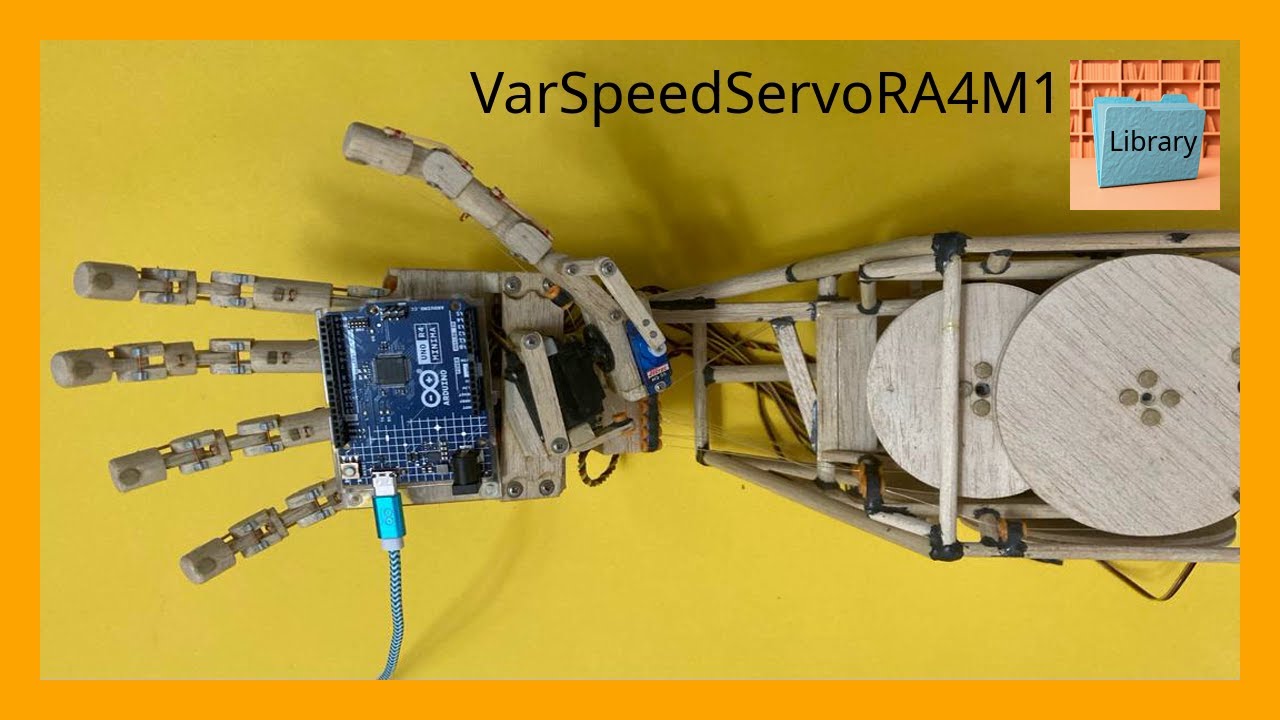
VarSpeedServoRA4M1
VarSpeedServoRA4M1 is a library for Arduino tha enables precise control over servo motors, including speed, position, and movement sequences.
Developed by Kaled Souky in 2024, based on the Servo library (developed by Michael Margolis in 2009) and VarSpeedServo library (developed by Korman in 2010 and updated by Philip van Allen in 2013). Specifically designed for the Renesas RA4M1 microcontroller architecture (Arm Cortex-M4), present on the Arduino UNO R4 Minima and Arduino UNO R4 WiFi boards.
VarSpeedServoRA4M1 is an interrupt-driven library using 16-bit timers, allowing the use of up to 12 servos moving asynchronously or synchronously. In addition to setting the position, you can set the speed of a movement, optionally wait until the servo movement is completed, and create sequences of movements that execute asynchronously or synchronously.
The 32-bit Renesas RA4M1 processor operating at 48 MHz elevates servo control to a new level, providing higher PWM resolution compared to the ATmega328P used in Arduino UNO R3. Thanks to this power, VarSpeedServoRA4M1 fully exploits the microcontroller's capabilities. With its simple and intuitive syntax, this library facilitates precise control over servo position and speed, even for beginners. Creating complex movement sequences is straightforward with just a few commands.
Features :
- Supports up to 12 servos.
- Allows synchronous and asynchronous movement of all servos.
- Allows you to configure the "position" and "speed" of each servo individually.
- Includes a "wait" parameter to wait for the servo to complete its movement. Philip van Allen, in his update, incorporated it as a boolean variable within the
write()function, and also as the independentwait()function. This parameter is not included as a variable in Korman'sslowmove()function. - The
write()function now includes the "speed" and "wait" parameters, which can optionally be used in conjunction with the "position" parameter to control servo movement. - The
slowmove()function is retained for compatibility with the Korman version. It only handles the "position" and "speed" parameters. In this case, the waiting time must be configured (using, for example, the functiondelay(),delayMicroseconds(),micros()ormillis()), so that the servo completes the position and maintains it for the desired time. Theslowmove()function does not incorporate the "wait" variable introduced by Philip van Allen in thewrite()function. - Allows the creation of position sequences.
Examples of use:
Sample code 1: Sweeps a servo motor from 0 to 180 degrees at fast speed and back from 180 to 0 degrees at slow speed, in an infinite loop.
The
write()function now includes the "speed" and "wait" parameters, which can optionally be used in conjunction with the "position" parameter to control servo movement.The "wait" parameter is used to wait for the servo to complete its movement. It is also available as a standalone
wait()function.Image taken from the official Arduino website: https://docs.arduino.cc/learn/electronics/servo-motors/