

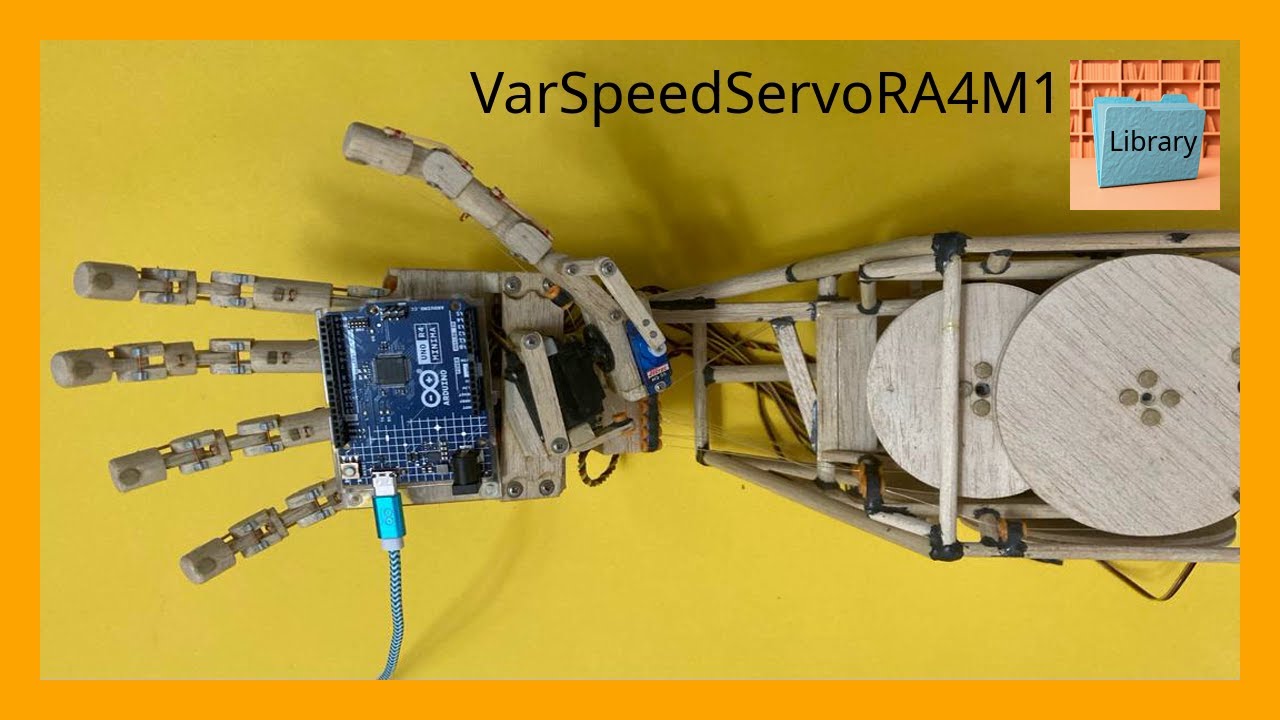
VarSpeedServoRA4M1 is a library for Arduino tha enables precise control over servo motors, including speed, position, and movement sequences.
Developed by Kaled Souky in 2024, based on the Servo library (developed by Michael Margolis in 2009) and VarSpeedServo library (developed by Korman in 2010 and updated by Philip van Allen in 2013). Specifically designed for the Renesas RA4M1 microcontroller architecture (Arm Cortex-M4), present on the Arduino UNO R4 Minima and Arduino UNO R4 WiFi boards.
VarSpeedServoRA4M1 is an interrupt-driven library using 16-bit timers, allowing the use of up to 12 servos moving asynchronously or synchronously. In addition to setting the position, you can set the speed of a movement, optionally wait until the servo movement is completed, and create sequences of movements that execute asynchronously or synchronously.
The 32-bit Renesas RA4M1 processor operating at 48 MHz elevates servo control to a new level, providing higher PWM resolution compared to the ATmega328P used in Arduino UNO R3. Thanks to this power, VarSpeedServoRA4M1 fully exploits the microcontroller's capabilities. With its simple and intuitive syntax, this library facilitates precise control over servo position and speed, even for beginners. Creating complex movement sequences is straightforward with just a few commands.
Features :
- Supports up to 12 servos.
- Allows synchronous and asynchronous movement of all servos.
- Allows you to configure the "position" and "speed" of each servo individually.
- Includes a "wait" parameter to wait for the servo to complete its movement. Philip van Allen, in his update, incorporated it as a boolean variable within the
write()function, and also as the independentwait()function. This parameter is not included as a variable in Korman'sslowmove()function. - The
write()function now includes the "speed" and "wait" parameters, which can optionally be used in conjunction with the "position" parameter to control servo movement. - The
slowmove()function is retained for compatibility with the Korman version. It only handles the "position" and "speed" parameters. In this case, the waiting time must be configured (using, for example, the functiondelay(),delayMicroseconds(),micros()ormillis()), so that the servo completes the position and maintains it for the desired time. Theslowmove()function does not incorporate the "wait" variable introduced by Philip van Allen in thewrite()function. - Allows the creation of position sequences.
Examples of use:
Sample code 1: Sweeps a servo motor from 0 to 180 degrees at fast speed and back from 180 to 0 degrees at slow speed, in an infinite loop.
The write() function now includes the "speed" and "wait" parameters, which can optionally be used in conjunction with the "position" parameter to control servo movement.
The "wait" parameter is used to wait for the servo to complete its movement. It is also available as a standalone wait() function.
#include <VarSpeedServoRA4M1.h>

VarSpeedServoRA4M1 myservo;  // create servo object to control a servo
// A maximum of twelve servo objects can be created

const int servoPin = 9;  // the digital pin used for the servo

void setup() {
  myservo.attach(servoPin);  // attaches the servo on pin 9 to the servo object
  myservo.write(0,127,true);  // set the servo to its initial position at fast speed, wait for completion
}

void loop() {
  // write(degrees 0-180, speed 1-255, wait to complete true-false)
  /* On the RC servos tested, speed differences above 127
     cannot be noticed due to the mechanical limitations of
     the servo. However, feel free to experiment with the
     speed value that best suits the response of your servo
     based on its mechanical and electronic characteristics
  */
  myservo.write(180,127,true);  // move the servo to 180, fast speed, wait until done
  myservo.write(0,30,true);  // move the servo to 0, slow speed, wait until done
}
Sample code 2: Sweeps a servo motor from 0 to 180 degrees at fast speed and back from 180 to 0 degrees at slow speed, in an infinite loop.
The slowmove() function only handles the "position" and "speed" parameters. In this case, the wait time must be set (using, for example, the delay(), millis(), micros(), or delayMicroseconds() functions) to ensure the servo completes the position and maintains it for the desired time. The slowmove() function does not incorporate the "wait" variable.
This example demonstrates the use of the delay() function as a timeout with slowmove(). The exact delay value may require some experimentation (usually in the millisecond range) to ensure that the servo has enough time to reach its target position and hold it for as long as necessary, until receiving the next instruction.
#include <VarSpeedServoRA4M1.h>

VarSpeedServoRA4M1 myservo;  // create servo object to control a servo
// A maximum of twelve servo objects can be created

const int servoPin = 9;  // the digital pin used for the servo

void setup() {
  myservo.attach(servoPin);  // attaches the servo on pin 9 to the servo object
  myservo.slowmove(0,127);  // set the servo to its initial position at fast speed
  delay(1000);  // sets the time the servo needs to reach the position and stay there
}

void loop() {
  // slowmove(degrees 0-180, speed 1-255)
  /* On the RC servos tested, speed differences above 127
     cannot be noticed due to the mechanical limitations of
     the servo. However, feel free to experiment with the
     speed value that best suits the response of your servo
     based on its mechanical and electronic characteristics
  */
  myservo.slowmove(180,127);  // move the servo to 180, fast speed
  delay(1000);  // sets the time the servo needs to reach the position and stay there
  myservo.slowmove(0,30);  // move the servo to 0, slow speed
  delay(3700);  // sets the time the servo needs to reach the position and stay there
}
Connection diagram:
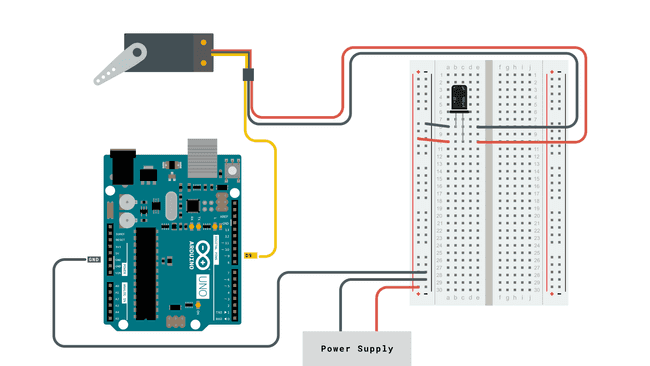
Image taken from the official Arduino website: https://docs.arduino.cc/learn/electronics/servo-motors/
Like this video, subscribe, share, and if you can, buy me a Ko-fi: https://ko-fi.com/kaledsouky
Thanks for being part of this amazing community! Together, we can create amazing things!
This page (VarSpeedServoRA4M1) was last updated on April 21, 2025.