

I'm not talking about an ill-named monster rocket booster, but honest-to-goodness STARSHIPS! As Wikipedia puts it:
A starship, starcraft, or interstellar spacecraft is a theoretical spacecraft designed for traveling between planetary systems.[1] The term is mostly found in science fiction.
https://en.wikipedia.org/wiki/Starship
I've certainly not got the resources to make such a vehicle... but what if you could build a really small spacecraft? Say, like this?
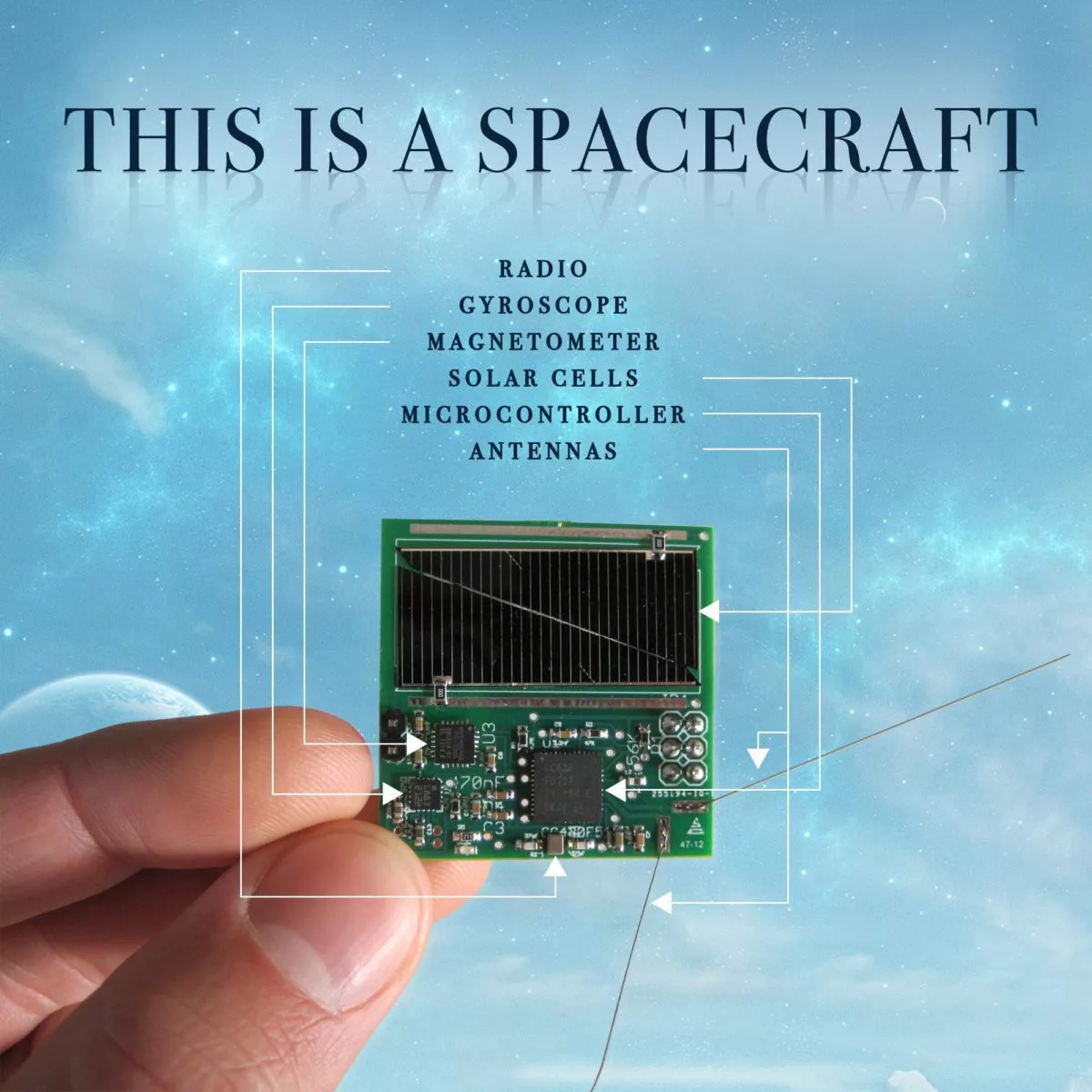
This was my inspiration to make a "Starship" on my NeoTrinkey - a simple spaceship program. My "ship on a chip" defines the decks of a ship and a set of potential destinations.
I've included it all in a github repo "Ship on a Chip"
- What IS a "starship?" :https://en.wikipedia.org/wiki/Starship
- Inspired by https://en.wikipedia.org/wiki/Breakthrough_Starshot, https://www.scientificamerican.com/article/inside-the-breakthrough-starshot-mission-to-alpha-centauri/
- trekdecks uses Enterprise deck as found at: https://memory-alpha.fandom.com/wiki/Constitution_class_decks
- Galaxy class decks: https://memory-alpha.fandom.com/wiki/Galaxy_class_decks
- Defiant class decks: https://memory-alpha.fandom.com/wiki/Defiant_class_decks
- Intrepid class decks: https://memory-alpha.fandom.com/wiki/Intrepid_class_decks
- trekdests Destinations used: https://exoplanets.nasa.gov/news/1378/top-10-star-trek-destinations-chosen-by-nasa-scientists/
- exodests from https://en.wikipedia.org/wiki/List_of_nearest_terrestrial_exoplanet_candidates
- sspythondecks created for a simple example
- Copy the files wise.py, prt.py and shipchip.py (as code.py) to neotrinkey.
- Copy a "dests" file (trekdests or exodests) to neotrinkey as "dests" (or create your own set of destinations)
- Copy a "decks" file (trekdecks or sspythondecks) to neotrinkey as "decks" (Or create your own list of decks and dests.)
Change REPL=True to REPL=False if you want output to be "typed" via HID interface.
Change showdecks = False to showdecks = True if you want the decks to be listed on start.
Touch pad #1 to go "up" a deck and pad #2 to go down - holding both jumps to a random deck.
Files:
-
shipchip.py - ship on a chip - copy to code.py
-
prt.py - copy to neotrinkey
-
wise.py - copy to neotrinkey
-
exodests - rename to dests for use
-
sspythondecks - rename to dests for use
-
trekdecks - rename to decks for use
-
trekdests - rename to dests for use
When run, you'll get a message "Welcome aboard" - and you begin on "deck 1" - usually the bridge. A random destination is chosen and after a random number of steps up and down in the turbolift you "arrive" and a new destination is chosen.
Looks like this:
Welcome aboard!
Ship destination is: Remus
You are on deck: 1 Bridge
You are on deck: 2 Science labs
You are on deck: 15 Deuterium fuel storage
You are on deck: 14 Engineering support, water storage
You are on deck: 13 Observation deck, dorsal interconnects
You are on deck: 14 Engineering support, water storage
You are on deck: 1 Bridge
Arrived at Remus
Ship new destination is: Nbiru
You are on deck: 2 Science labs
Make up your own ship with a list of decks in the "decks" file and destinations in the "dests" and you've got your own starship!
This page (Do You Want to Make a Starship?) was last updated on November 22, 2024.
Text editor powered by tinymce.